3D Maps & Peak Identification
Identify peaks with your camera or a photo. Plan routes in 3D on the web, and take your maps offline in the app.
Free maps and route planning on the web.


3D maps
Every mountain on Earth, in 3D
Stand on any summit, hut or pass and look around: every peak in view is named, in the light of the day and hour you choose.
FlyOver in the app: choose a mountain and fly round it in 3D. The 3D map also works offline. In your browser, free: stand anywhere in the 3D panorama and look around.
Show Matterhorn on the map Show Monte Giralba di Sotto on the map Show Oeschinen Lake on the map
In the app: 3D maps offline
The 3D map goes with you, downloaded before you set off, and your track becomes a FlyOver film when you are back.
Get the app


Show Torre Grande on the map Show Matterhorn on the map Show Reinebringen on the map
On the website: free, nothing to install
Open the 3D panorama from any point on Earth, see where the sun and the moon will rise, and plan your route on the 3D map.
identify mountains
Which mountains am I looking at?
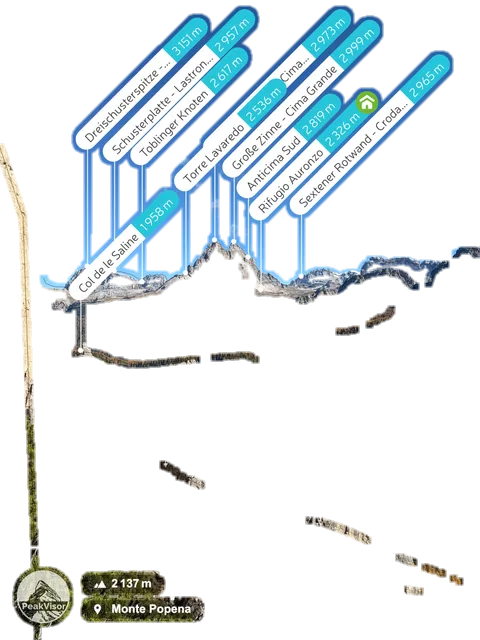
PeakVisor names the peaks in front of you or in your photo, with their elevation.
Rifugio Cinque Torri
Tap a side photo to bring it forward. Tap the front photo to show or hide the peak names.
Watch PeakVisor name the peaks
Hover over a photo to see the peak names Tap a photo to see the peak names
In the app: live, through the camera
Point your phone at the mountains and the peaks are labelled in real time, from a 3D terrain model on your phone.
Get the app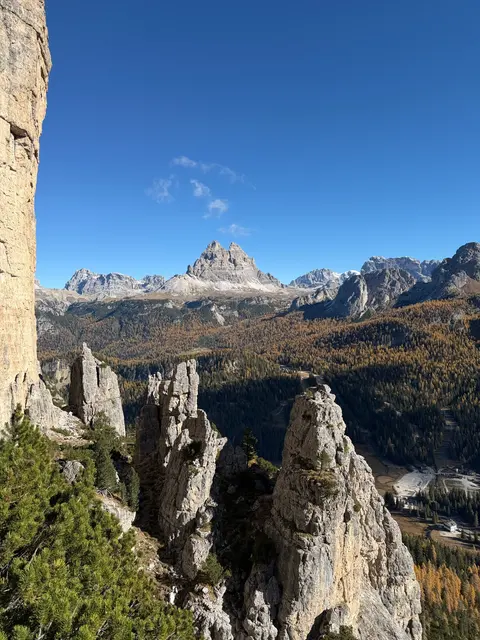
On the website: upload a photo
Add a photo you took — even an old one — and the place it was taken from, and PeakVisor labels the peaks on it.
Upload a photoski season
Everything you need for the ski season
On your phone, out in the mountains: maps that work offline, peaks named through the camera. In your browser, nothing to install: the same maps to plan on, in 2D and 3D, free.
Find the tour
Search for the peak: the ski map opens on it, with the ski tours, huts and lifts around.
Explore the ski mapRead the terrain
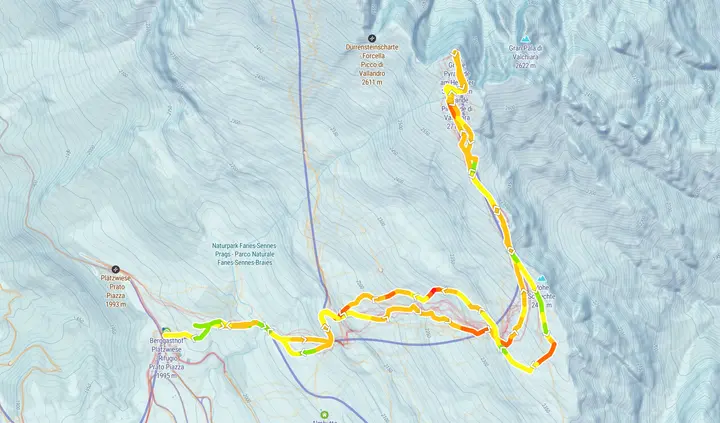
Open the route and switch on Slopes to see how steep each section is, and Heatmap to see where people actually go.
Open this tourCheck the bulletin and the weather
The avalanche bulletin of the region, the forecast for the next days and weather stations, on the same map.
These layers help you prepare. They do not tell you that a route is safe: read the full bulletin and judge the conditions on the day.
Open avalanche bulletins
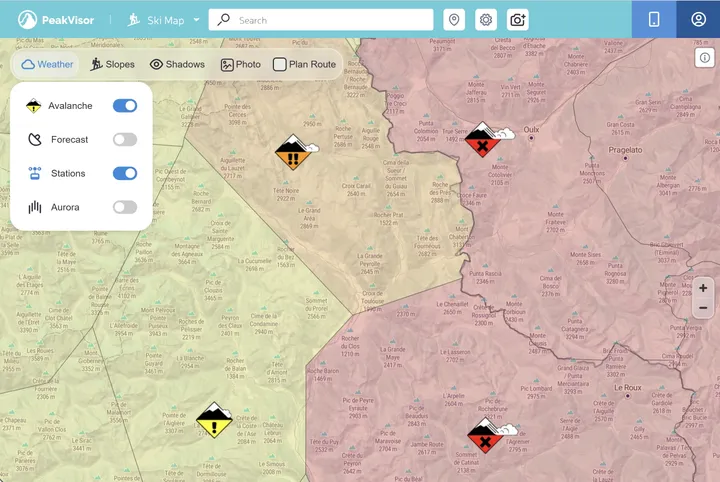 Example of the avalanche layer, western Alps — not the conditions of this tour
Find the tour
Thousands of ski tours on the app’s 3D map, with the peaks and huts around them.
Get the appTake the map offline
Download the area before you go: the 3D map and the route keep working with no signal.
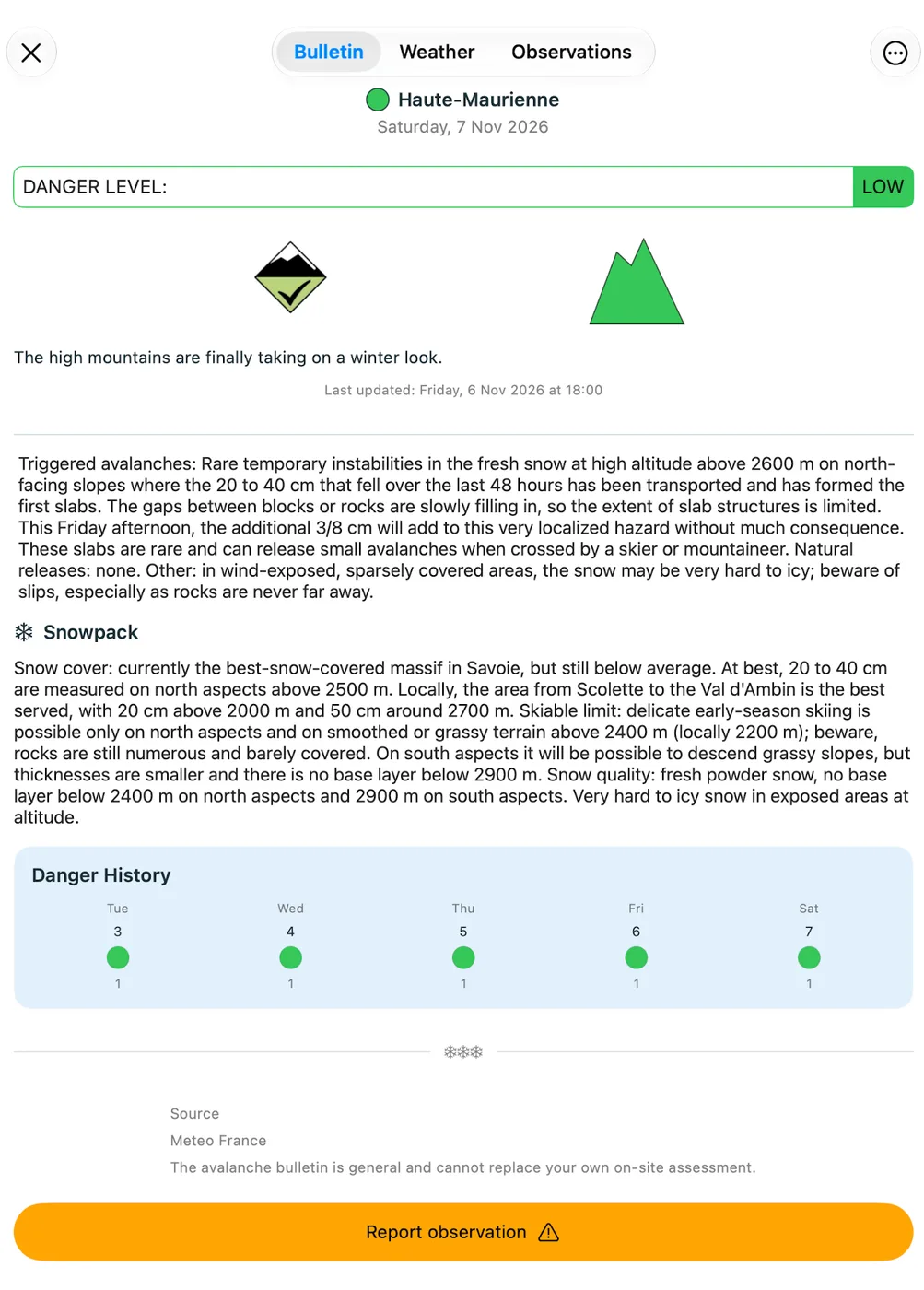
Get the appCheck the avalanche bulletin
The bulletin of your region as a widget on your phone’s home screen.
These layers help you prepare. They do not tell you that a route is safe: read the full bulletin and judge the conditions on the day.
Get the app
Find the tour
Thousands of ski tours on the app’s 3D map, with the peaks and huts around them.
Take the map offline
Download the area before you go: the 3D map and the route keep working with no signal.
Check the avalanche bulletin
The bulletin of your region as a widget on your phone’s home screen.
These layers help you prepare. They do not tell you that a route is safe: read the full bulletin and judge the conditions on the day.
Keep the day
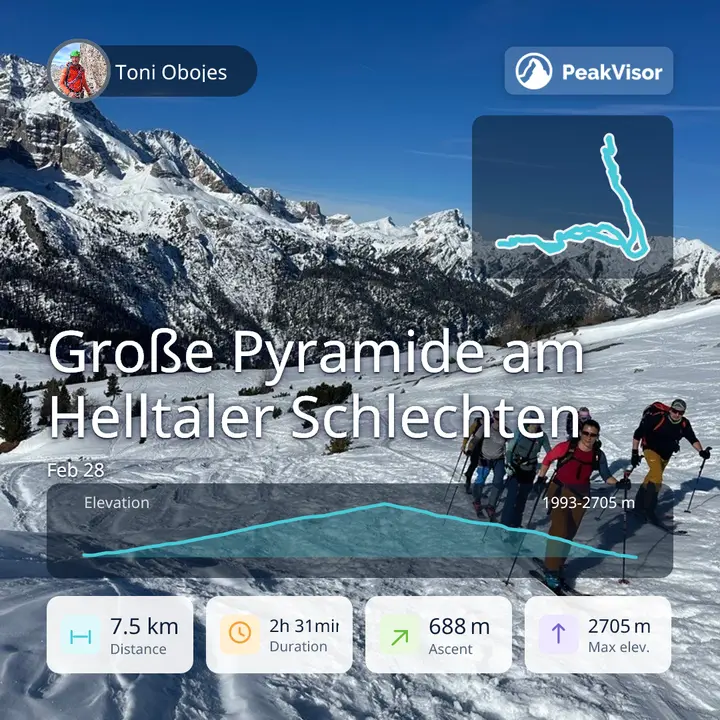
Record the tour: the track, the photos and a poster land on your profile.
Example of the avalanche layer, western Alps — not the conditions of this tour Find the tour
Search for the peak: the ski map opens on it, with the ski tours, huts and lifts around.
Explore the ski mapRead the terrain
Open the route and switch on Slopes to see how steep each section is, and Heatmap to see where people actually go.
Open this tourCheck the bulletin and the weather
The avalanche bulletin of the region, the forecast for the next days and weather stations, on the same map.
These layers help you prepare. They do not tell you that a route is safe: read the full bulletin and judge the conditions on the day.
Open avalanche bulletinsPistes and lifts
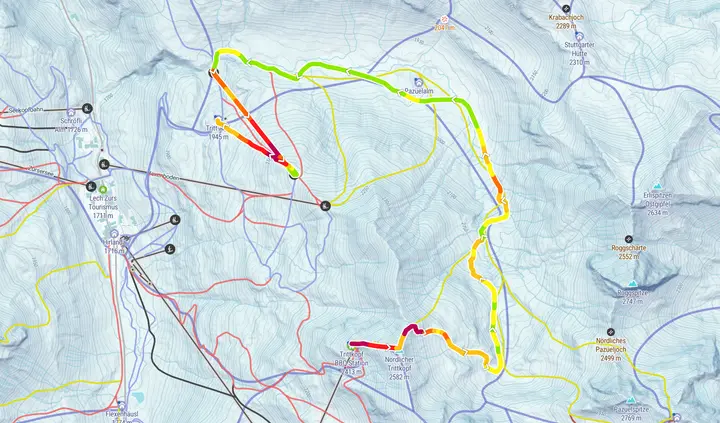
Every piste coloured by difficulty and every lift, on one map.
Open Hintertux GlacierLift status and hours
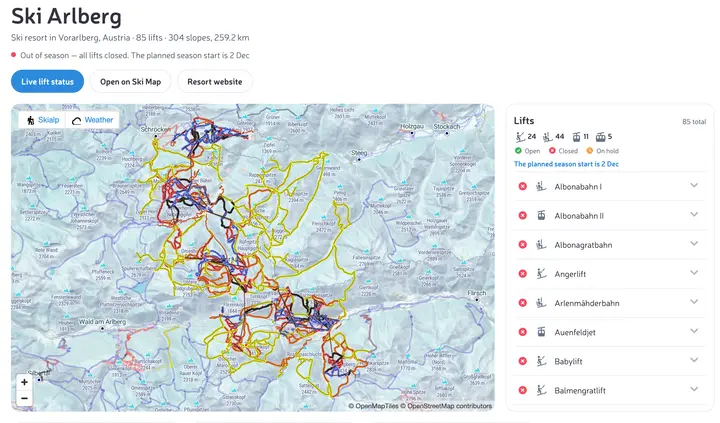
Which lifts are running today, and the opening hours of the resort and each lift, wherever the resort publishes them.
Captured on 3 November 2026, before the season: all lifts closed, the start planned for 2 December.
Open the resort pageYour ski day in your profile
Record the day in the app: the track and the photos land on your profile.
See Toni's ski day
Lift status and hours
Which lifts are open, closed or on hold, and the hours wherever the resort publishes them.
Get the appYour ski day in your profile
Record the day: the track and the photos land on your profile.
Get the app
Find the resort
Search for the resort and look around it on the 3D map.
Pistes and lifts
Every piste coloured by difficulty and every lift, on the 3D map.
Lift status and hours
Which lifts are open, closed or on hold, and the hours wherever the resort publishes them.
Your ski day in your profile
Record the day: the track and the photos land on your profile.
Pistes and lifts
Every piste coloured by difficulty and every lift, on one map.
Open Hintertux GlacierLift status and hours
Which lifts are running today, and the opening hours of the resort and each lift, wherever the resort publishes them.
Captured on 3 November 2026, before the season: all lifts closed, the start planned for 2 December.
Open the resort pageYour ski day in your profile
Record the day in the app: the track and the photos land on your profile.
See Toni's ski dayhiking season
Everything you need for the hiking season
On your phone, out in the mountains: maps that work offline, peaks named through the camera. In your browser, nothing to install: the same maps to plan on, in 2D and 3D, free.
Pick a destination and a hut
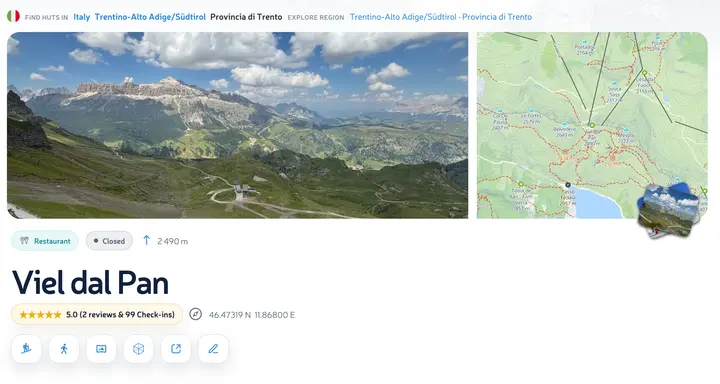
Viel dal Pan above Canazei: its page has photos, check-ins and the trails that lead there.
Open the hutPlan the route in 3D
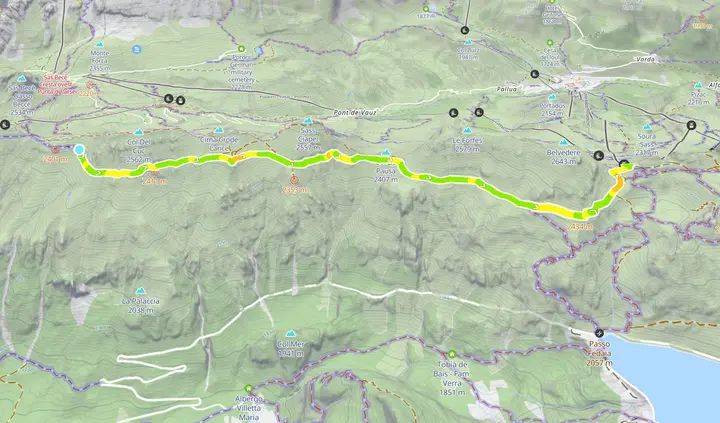
See the route on the 3D map with its distance, ascent and the steep sections.
Open this hike in 3DWeather, sun and moon
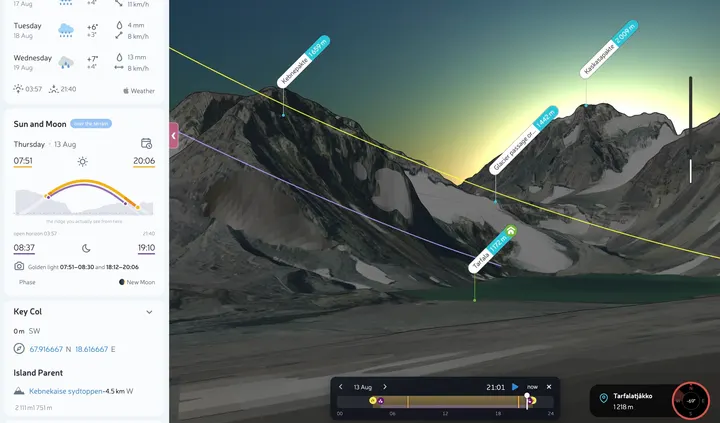
The forecast for the next days on the map, and in the 3D panorama where the sun and the moon will be on the date you choose.
Sun and moon in 3D
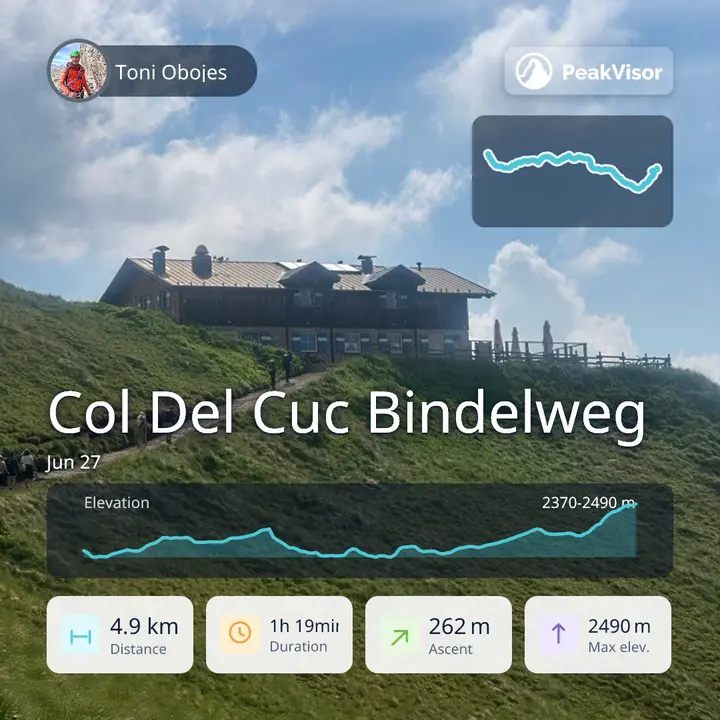
Find the hike and the hut
Thousands of hiking routes and mountain huts on the app’s 3D map.
Get the appTake the map offline
Download the area before you go: the 3D map and the route keep working with no signal.
Get the appName the peaks around you
Point the camera at the mountains and the app labels them, live.
Get the app
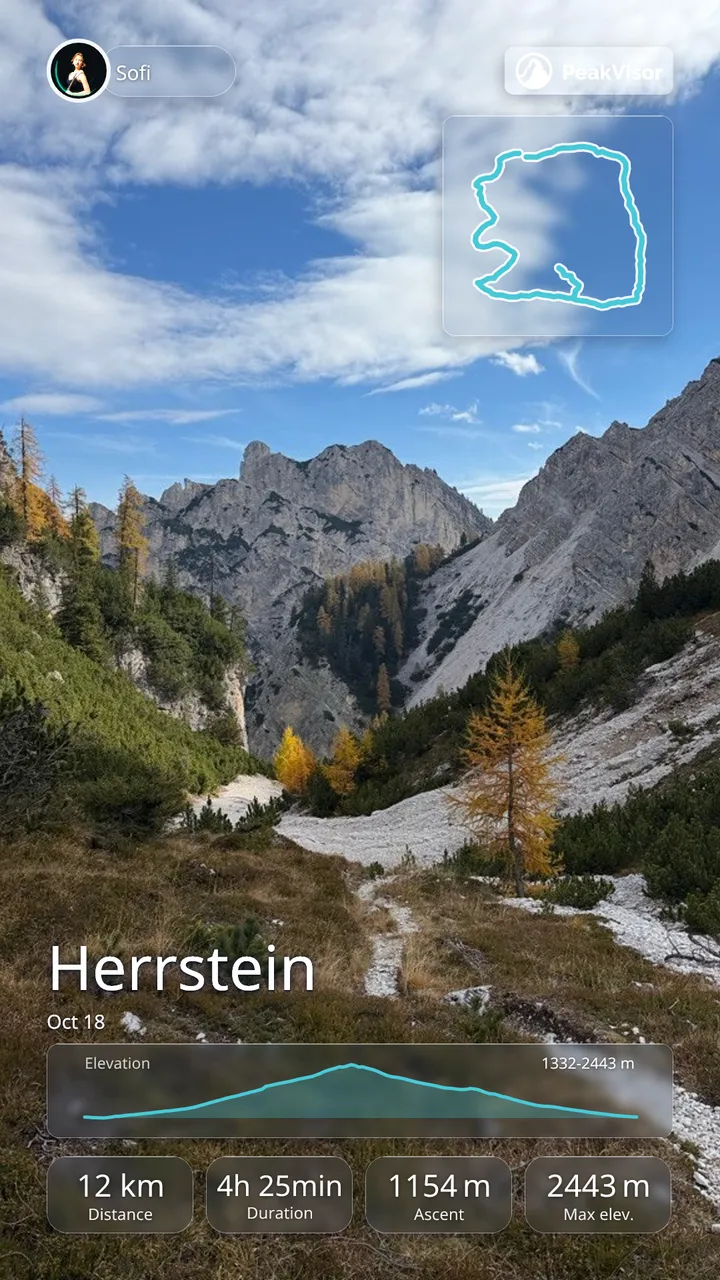
Find the hike and the hut
Thousands of hiking routes and mountain huts on the app’s 3D map.
Take the map offline
Download the area before you go: the 3D map and the route keep working with no signal.
Name the peaks around you
Point the camera at the mountains and the app labels them, live.
Photos and a poster
Record the walk: the photos and a track poster land on your profile.
Pick a destination and a hut
Viel dal Pan above Canazei: its page has photos, check-ins and the trails that lead there.
Open the hutPlan the route in 3D
See the route on the 3D map with its distance, ascent and the steep sections.
Open this hike in 3DWeather, sun and moon
The forecast for the next days on the map, and in the 3D panorama where the sun and the moon will be on the date you choose.
Sun and moon in 3Dexplore mountains
Choose where to go next
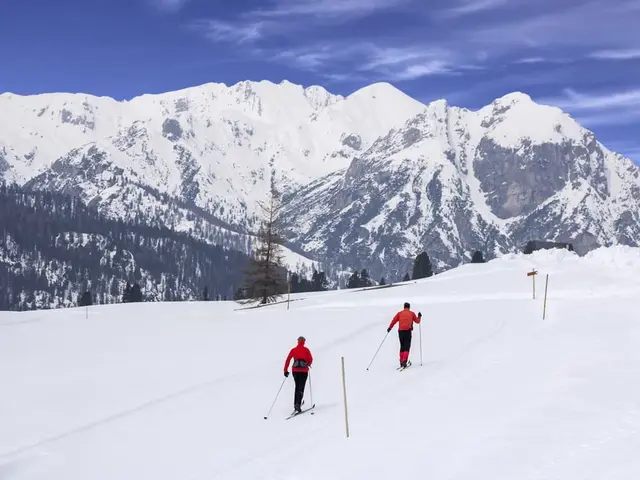 Braies/Prags ItalySouth TyrolBraies Dolomites Ski tours from Prato Piazza, below the walls of the Braies Dolomites.
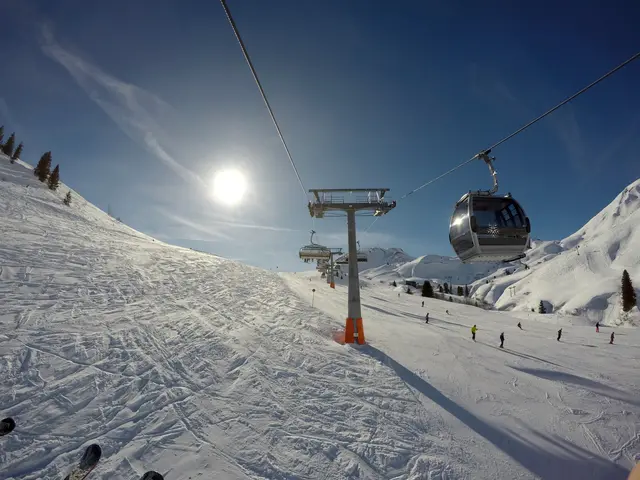 St. Anton am Arlberg AustriaTyrolLechtal Alps St. Anton, Lech and Zürs share the lifts of Ski Arlberg.
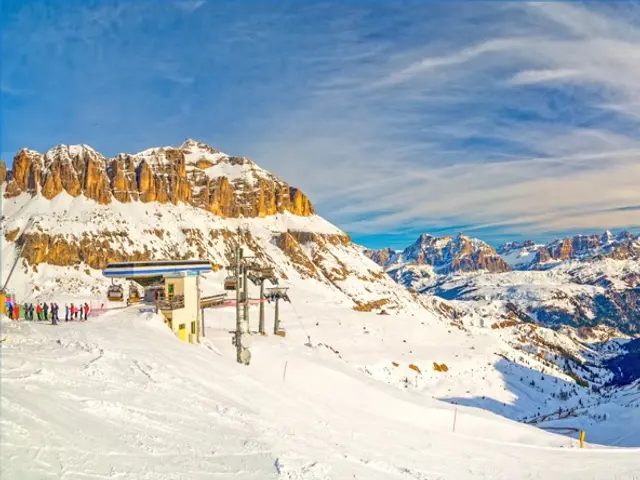 Cortina d'Ampezzo ItalyVenetoAmpezzo Dolomites Pistes and ski tours among the Dolomite walls.
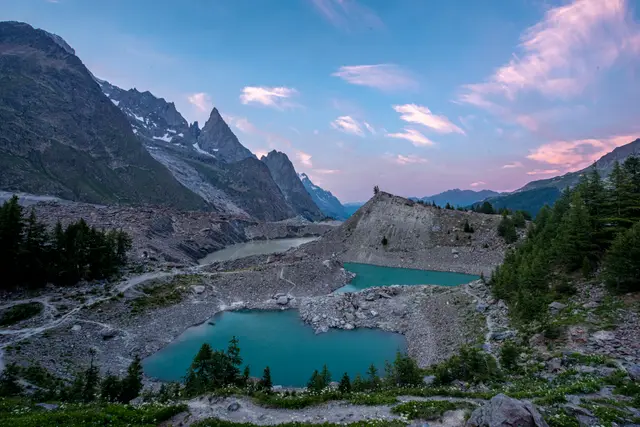 Courmayeur ItalyAosta ValleyMont Blanc massif The Italian side of Mont Blanc.

sun and moon
See where the sun and moon meet the mountains
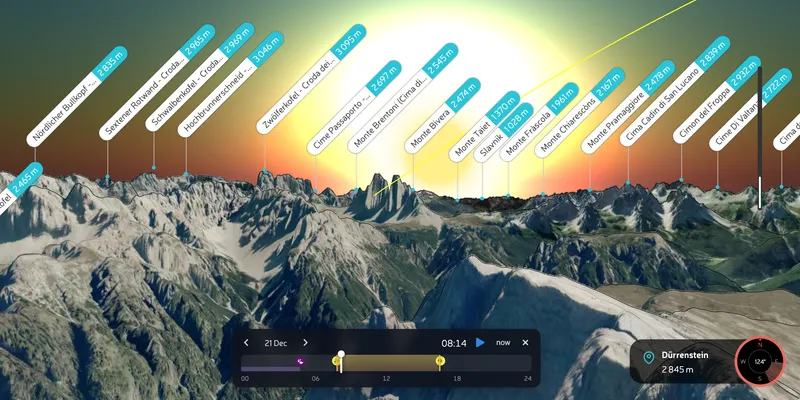
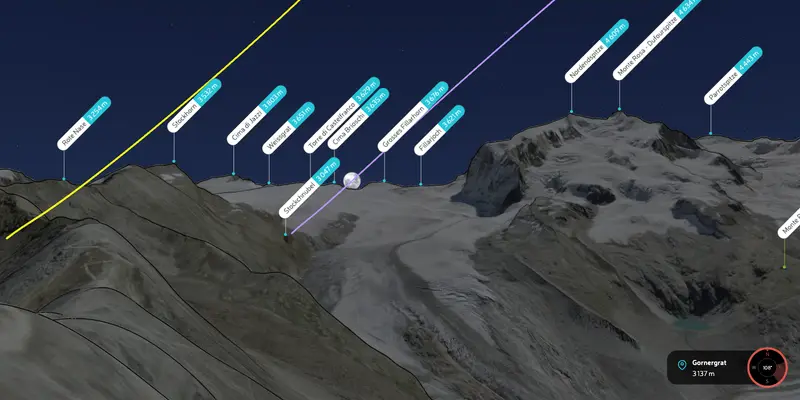
Choose a place, a date and a time, and PeakVisor shows where the sun and the moon will be against the real skyline — not a flat horizon.
Sunrise behind Tre Cime, seen from Dürrenstein
The full moon rising over the Monte Rosa ridge, seen from Gornergrat
your profile
Keep your trips and share them
Your PeakVisor profile keeps your tracks, check-ins and photos together, ready to share.
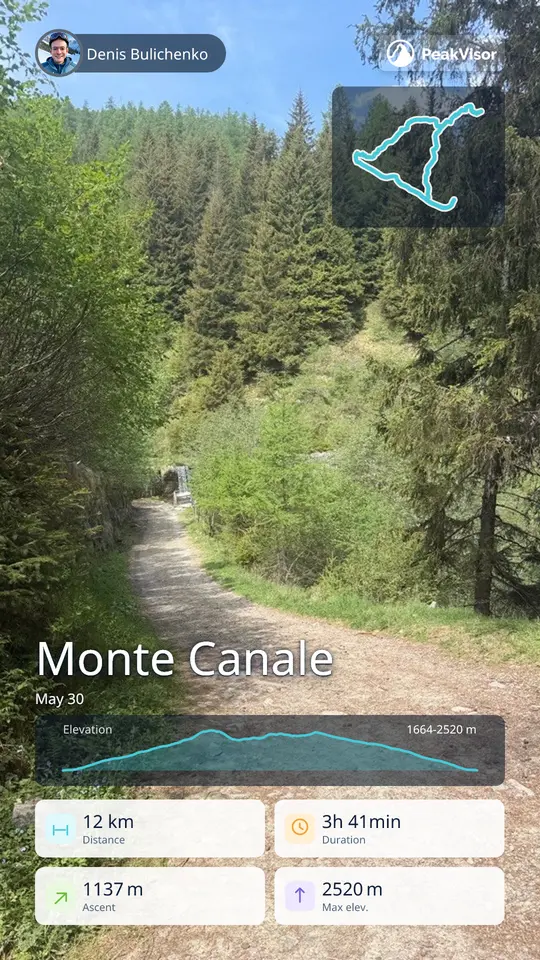
Track poster
A ready-to-post image of your route with its distance, ascent and profile.
Open this trackProfile poster
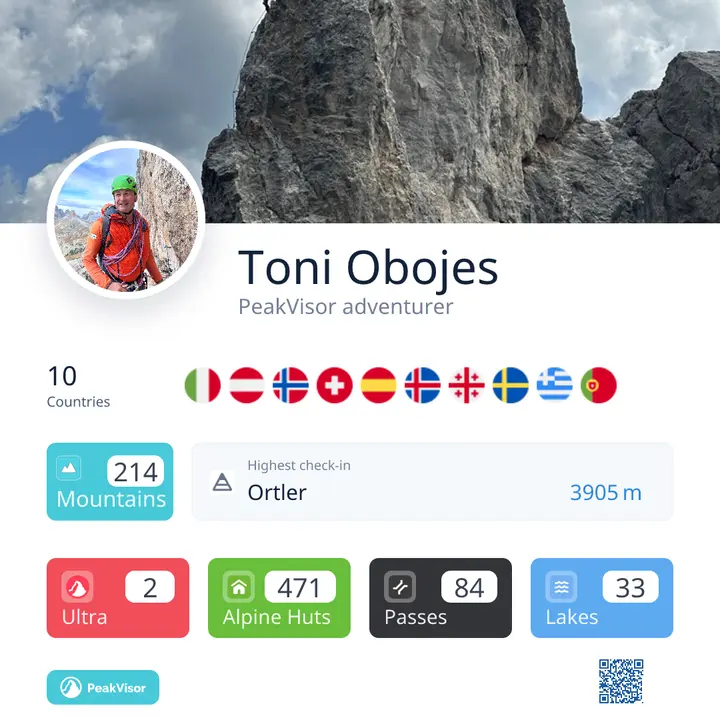
Your countries, summits and highest check-in on one card.
 by Toni Obojes
FlyOver video
A flyover of the track in 3D with the photos from the day and the route card, made in the app.
Open this trackGuides on PeakVisor
Mountain guides publish their routes and photos on PeakVisor. Their profiles carry the guide badge.

people and places
PeakVisor app
Take PeakVisor to the mountains
- Peaks named through the camera, in real time
- 3D maps offline: download your area before you go
- Record and follow your trails
- The avalanche bulletin as a widget on your home screen
Free to download on iPhone and Android; some features need PRO. 4.6 ★ on the App Store · 13,000+ ratings
PeakVisor PRO
PRO unlocks in the app: offline 3D maps, peak identification through the camera, FlyOver videos and Garmin and Suunto sync. The app is free to download, and the website is free.
$40 a year or $10 a month on the web
Choose a plan
Frequently asked questions
What is PeakVisor?
PeakVisor is a mountain app and website that identifies peaks through your phone's camera or in your photos and shows the world's mountains on a 3D map. It also plans hiking and ski-touring routes and covers mountain huts, ski resorts with live lift status and avalanche bulletins. It works on iPhone, Android and the web and is made by Routes Software SRL.
What can I do on the website, and is it free?
Everything on the website is free: search the mountains, explore them on the 2D and 3D maps, plan routes and export them, open ski resort, mountain hut and avalanche information, see the sun and the moon in the 3D panorama, and label the peaks in your own photos.
Why do I need the app?
In the mountains your phone does what a website cannot: it labels the peaks around you through the camera, keeps working offline in the areas you downloaded, records your trail and shows the avalanche bulletin as a widget on your home screen. The app is free to download on iPhone and Android; some of its features need PRO.
What does PeakVisor PRO include?
PRO is the subscription of the app. It adds real-time peak identification, offline 3D maps, route planning with trail suggestions, thousands of skiing and hiking routes, Garmin Connect and Suunto integration, check-ins and flyover videos. You can buy it on the website for $40 a year or $10 a month, and it works on iPhone, iPad and Android.
How does identifying peaks in a photo work?
Open Identify Mountains on this website or in the app, add your photo and the place it was taken from, and PeakVisor matches it against a 3D model of the terrain and labels the peaks. In the app you can also point the camera at the mountains and see the names live.
Does PeakVisor work offline?
Yes, in the app, after you download the area. Download the region before you set off: the 3D map, peak identification and your routes then work with no signal at all.
Does PeakVisor show avalanche bulletins and slope angles?
Yes. The ski map shows the avalanche bulletin of the region with its danger levels, the forecast for the next days and weather stations. Switch on Slopes to see how steep each section of a route is. The bulletin is the official one of each region: PeakVisor puts it on the map beside the terrain and does not replace it.
Which ski lifts are open today?
Open the resort on PeakVisor: its page shows which lifts are open, closed or on hold, and the opening hours of the resort and of each lift, wherever the resort publishes them. PeakVisor covers 1,450+ ski resorts in 24 countries.
How do I find a mountain hut and check when it is open?
Search for the hut by name or open the map of mountain huts: PeakVisor has 73,800+ huts, refuges and bivouacs in 24 countries. A hut’s page gives its elevation, the opening hours wherever they are known and the routes that lead to it.
Why does the sun rise later in the mountains than the forecast says?
A forecast gives sunrise over a flat horizon, but in a valley the sun first has to clear the ridge. PeakVisor’s 3D panorama shows the sun and the moon over the real skyline of the place where you stand, so you can see when the sun actually comes over the ridge or sets behind it.
Can I plan a route and send it to my watch?
Yes. Draw a route on the hiking or ski map and PeakVisor snaps it to trails and shows its elevation profile. Export it as GPX, or send it to Garmin or Suunto from your PeakVisor account.
Can I give PeakVisor as a gift?
Yes. Lifetime PRO can be bought as a gift for $160 and is paid once, with no renewals. You receive an activation code by email and pass it on; the recipient activates PRO on their own PeakVisor account.