
You can now subscribe to PeakVisor PRO on our website and use it on iPhone, iPad and Android. The subscription is linked to your PeakVisor account, so you just need to sign in to the same account on each device.
That is useful if you plan trips on an Android tablet and take an iPhone into the mountains, or use devices with different Apple Accounts.
What PRO Gives You
- 3D maps, online and offline. Explore mountain ranges in 3D and download maps to use without a connection.
- Route planning. Plan hikes, ski tours and mountaineering routes with the Route Planner, or choose from thousands of existing routes.
- Huts, ski runs and lifts. Find mountain huts with opening information, access routes and photos, and explore ski runs and lifts around the world.
- Safety information. Read avalanche bulletins on the map. Tap SOS for the local emergency number, your GPS location and notes on cell coverage and language.
- Maps for different activities. Switch between hiking, ski touring and satellite maps, with terrain layers showing slope steepness, aspect and elevation.
- Mountain conditions. Check weather, avalanche risk and live ski resort updates.
- Watch connections and check-ins. Send routes to Garmin and Suunto, import your Garmin activities into PeakVisor, and check in at summits and huts.
Choose an Annual or Monthly Plan
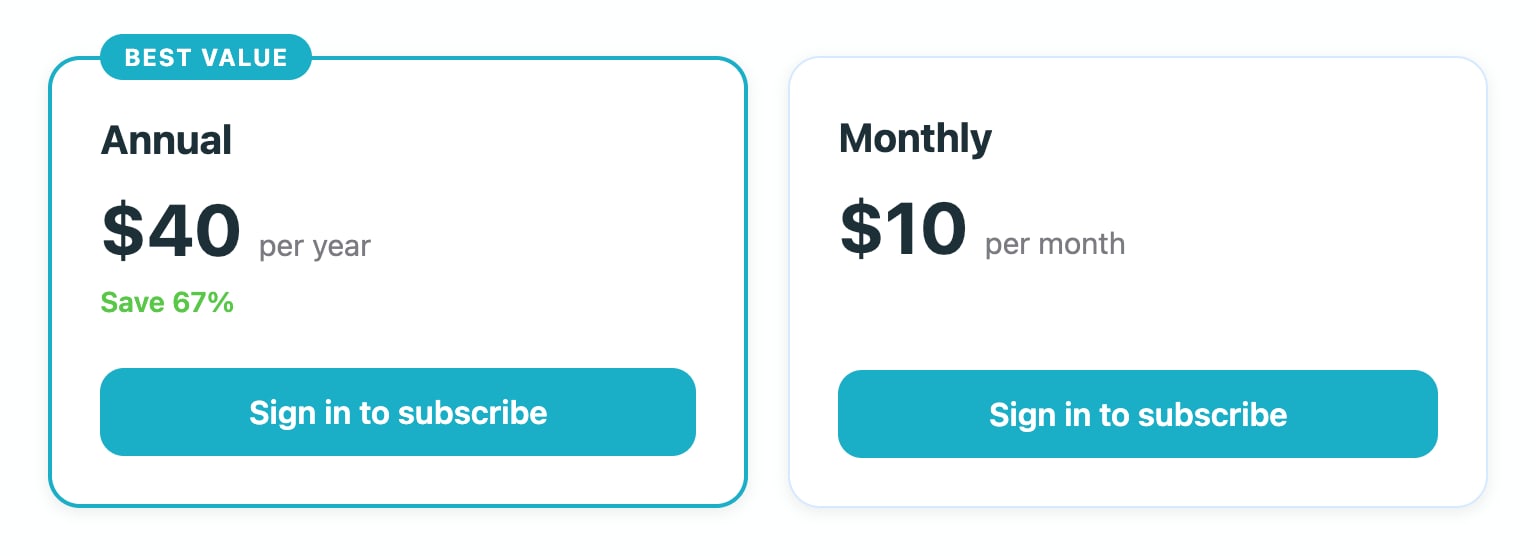
- Annual: US$40 a year.
- Monthly: US$10 a month.
Choose a plan on our subscription page, sign in and complete checkout through Stripe. PRO usually appears in your account within a few seconds, and we'll email you a confirmation. Both plans renew automatically unless you cancel.
Use the Same PeakVisor Account
Before subscribing, check that you're signed in to the same PeakVisor account you use in the app. If you use Apple or Google to sign in, choose the same sign-in method and account on the website. Using a different account can leave your subscription on one account and your app on another.
Already Subscribed in the App Store or Google Play?
You can arrange the switch before your current subscription ends. If the website recognises your active subscription, your first web payment can be scheduled for the day it ends. Check the first payment date shown on the page before completing checkout. If your current subscription expires in less than two days, payment may be taken immediately.
You'll need to turn off auto-renewal in the App Store or Google Play yourself. Subscribing on the website doesn't cancel your store subscription. Turning off renewal keeps the store from charging you for another period; PRO remains active for the period you've already paid for.
If your current App Store or Google Play subscription isn't shown, contact team@peakvisor.com before subscribing so we can check your account.
Time-limited activation codes can also postpone the first payment. Check the date shown for your account before completing checkout.
Managing Your Subscription
Open the PRO tab in your profile to see your subscription and next payment date. Select Manage subscription to cancel, update your payment card or download invoices through Stripe.
- To cancel: choose Manage subscription. PRO stays active until the end of your paid period.
- To change plans: cancel your current plan, then subscribe to the monthly or annual plan after the paid period ends.
- If a payment fails: update your card under Manage subscription. Payments are retried for up to three weeks, but PRO access may pause before then if the payment remains unpaid.
Already have Lifetime PRO? You don't need a subscription.
Questions about your subscription? Write to team@peakvisor.com.