
Every Route Has a Story Between the Lines
A drawn line on a map tells you where to go. It does not tell you where to rope up, where the last water source is, or where the avalanche bulletin matters most.
We built Technical Notes for people who plan routes for others: mountain guides, tour leaders, and experienced planners who need to communicate critical information pinned to exact coordinates on the track.
This feature was developed based on direct feedback from professional alpine guides who needed a way to attach structured safety and logistics annotations to routes they share with clients and teams.
What Are Technical Notes
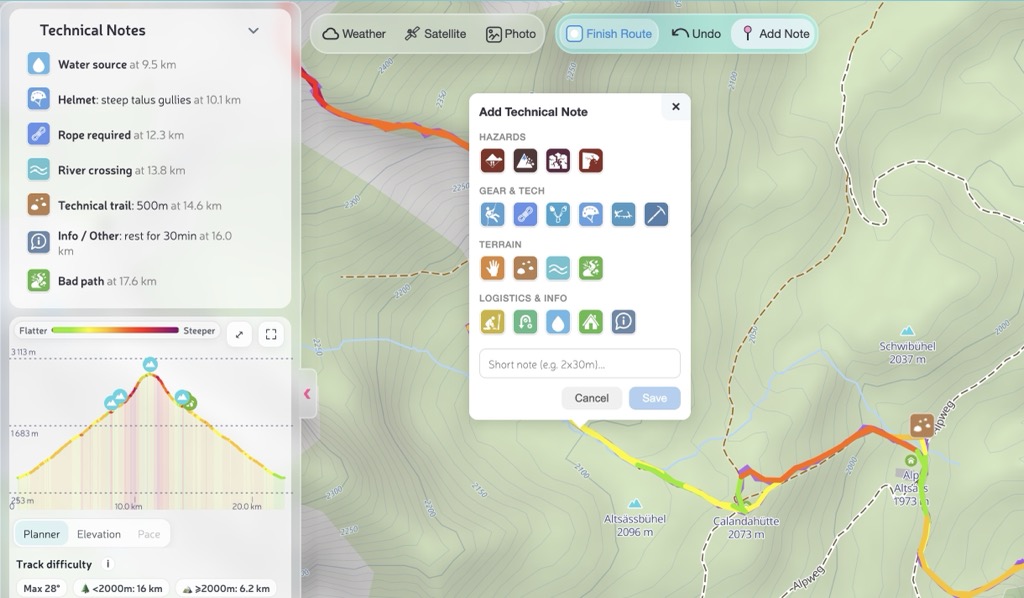
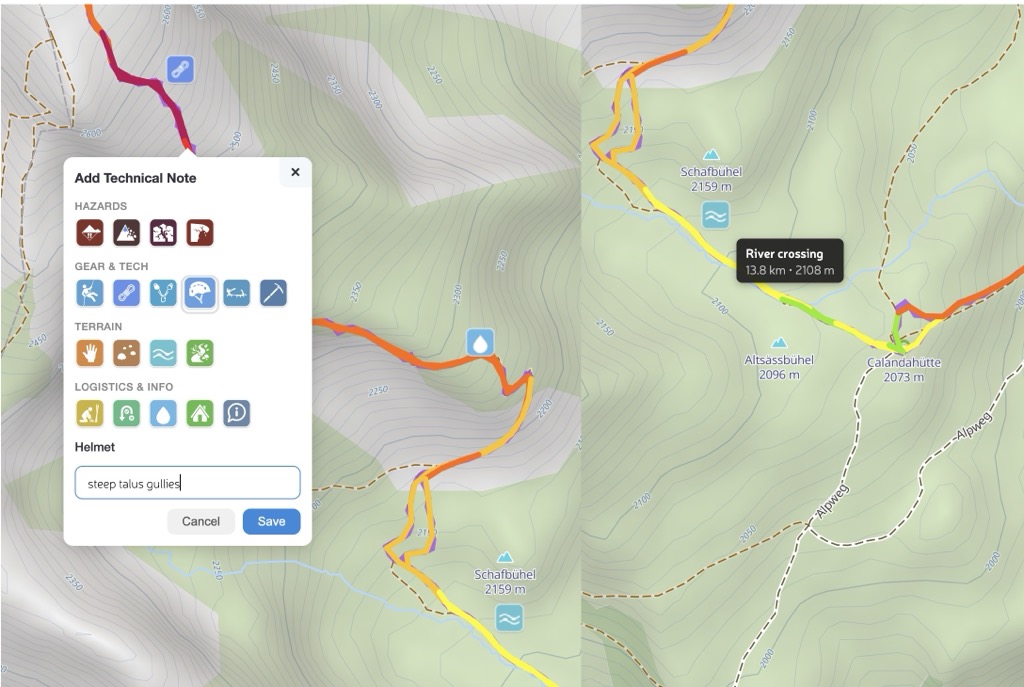
A Technical Note is a point on your route with a standardized tag and an optional short comment (up to 150 characters). Notes are organized in four categories:
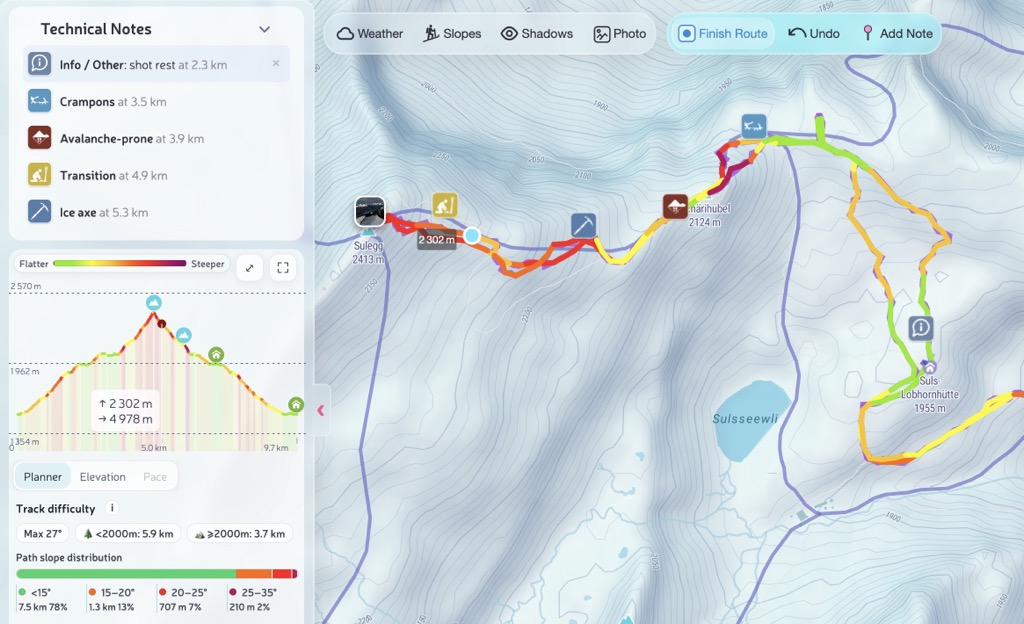
Each note appears as an icon on the map, in the sidebar list sorted by distance, and on the elevation profile. Hover over any note in one view and it highlights across all three.
If none of the predefined tags fit your situation, use the Info / Other tag. It works as a universal note — pick it, describe what you need in the text field, and the note will appear on the route just like any other. Need to mark a photo spot, a meeting point, or a tricky navigation junction? Info covers it.
Ski Touring: Plan the Safe Line
Imagine preparing a ski tour for a group. The route crosses an avalanche-prone slope at 2,700 m, transitions to a glacier with hidden crevasses, and finishes along a corniced ridge. You checked the bulletin, you know the conditions, and now you want to pin that knowledge directly on the route so it survives when you share it.
With Technical Notes you can mark every decision point before leaving the car:
- Transition at the start — "Skins on" so the group knows where the approach ends
- Avalanche-prone on the 35° slope — "Check bulletin" with the exact coordinates
- Crampons at the icy traverse — so gear is ready, not buried in the pack
- Crevasses at the glacier entry — "Rope up, hidden crevasses" leaves no ambiguity
- Cornice near the ridge — "Stay 3 m from edge" is the kind of note that prevents accidents
- Turnaround point — "No later than 11:00" sets a clear time boundary for the group
When you share or export this route, every note travels with it — as standard GPX waypoints that any device can display, plus a human-readable summary in the track description.
Summer Hiking: Brief Your Group
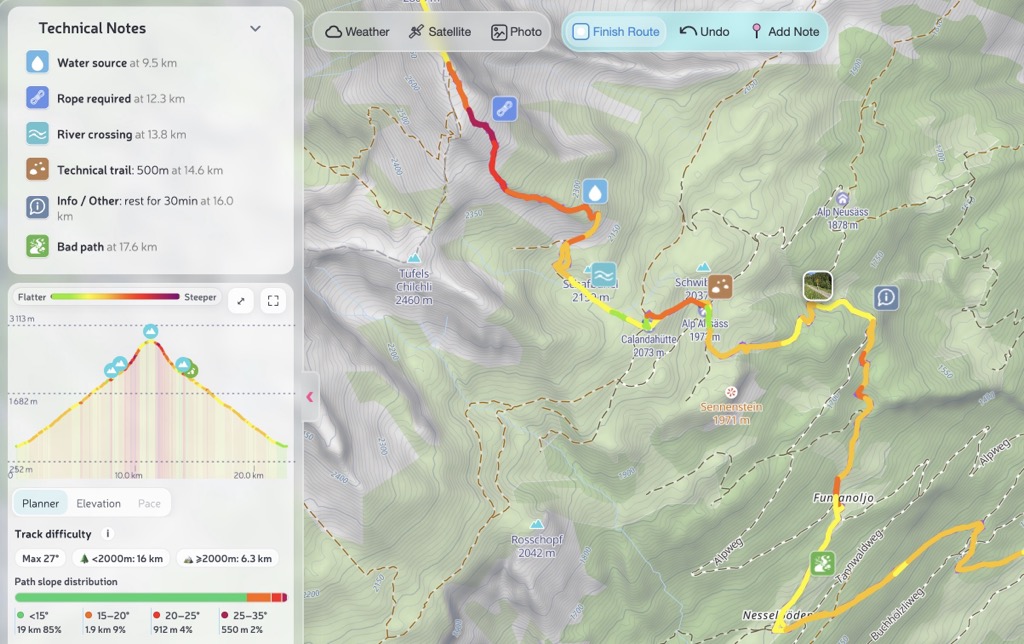
Now picture a summer day hike through high alpine terrain. The trail includes a scrambling section, a river ford that gets serious after rain, and a fixed-rope passage where the anchor needs checking every season. A guide running this route for clients wants all of that visible on the shared route, not in a separate PDF or a verbal briefing that gets forgotten.
- Water source early on — "Last reliable source" so everyone fills up
- Scrambling at the exposed ledge — "Grade II, exposed" tells the group what to expect
- Helmet below the rockfall zone — gear goes on before entering the danger area
- River crossing at the ford — "Knee-deep after rain" is critical for timing decisions
- Hut at the midpoint — "Open Jun–Sep" saves a phone call
- Rope at the fixed passage — "Check anchor" is a seasonal maintenance reminder
- Turnaround point — "Bad weather retreat" marks the safe decision point
- Info / Other — "Group photo spot, wait for everyone" — when no standard tag fits, use Info and describe it in your own words
These notes appear in the sidebar sorted by distance, so the group can read the route as a structured briefing: what happens at each kilometer, what gear is needed, and where the escape options are.
How to Add Notes
There are two ways to place a note:
- Right-click on the route line (desktop) or long-press (mobile) — choose "Add technical note" from the context menu
- Toggle button in the toolbar — click the pin icon, then click on the route where you want the note
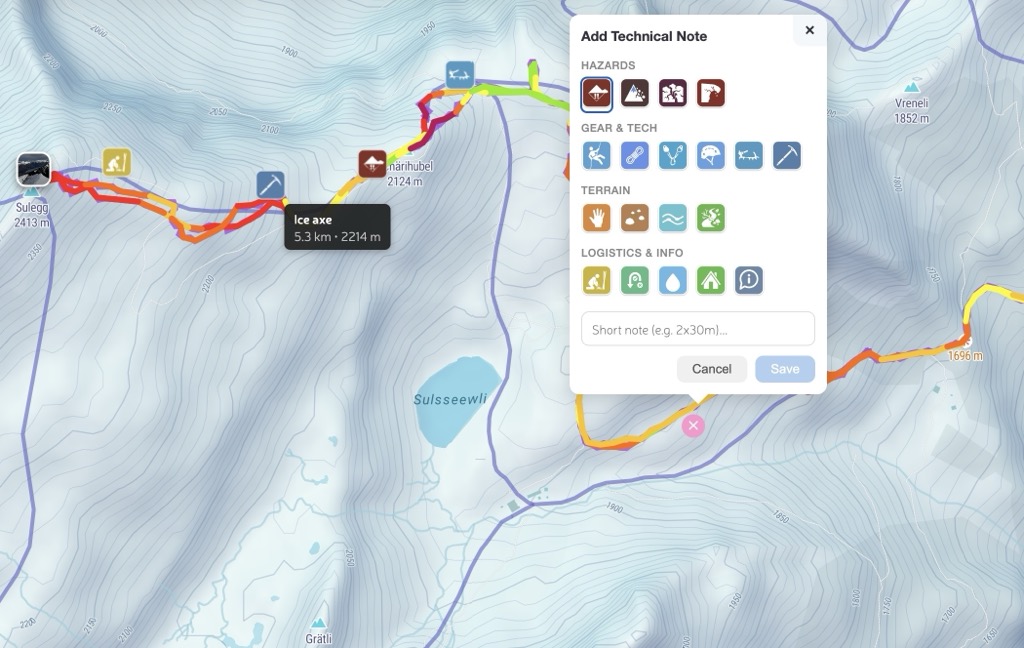
The editor opens as a popup right on the map. Pick a tag from the icon grid, optionally type a short comment, and save. The note snaps to the nearest point on your track and immediately appears on the map, in the sidebar, and on the elevation profile.
Notes can be added both while drawing a new route and when viewing an existing one. To remove a note, use the delete button in the sidebar list.
GPX Export and Sharing
When you export or share a route with Technical Notes, they are saved as standard GPX waypoints with structured extensions. Any GPX-compatible device or app will display them as named waypoints with descriptions.
PeakVisor also writes a human-readable summary into the track description, so even viewers that only show the track description will list all notes with their distances and comments:
Technical Notes:
⚠ Avalanche-prone — 2.0 km, 2680 m — Check bulletin, 35° slope
🔧 Crampons — 3.5 km, 2890 m — Icy traverse 50m
⚠ Crevasses / Glacier — 4.5 km, 3100 m — Rope up, hidden crevasses
⛰ Cornice — 5.8 km, 3340 m — Stay 3m from ridge edge
📍 Turnaround point — 6.0 km, 3380 m — No later than 11:00
When you re-import the GPX into PeakVisor, all notes are fully restored with their tags, comments, positions, and distances. The round-trip is lossless.
Built for Guides, Useful for Everyone
Technical Notes started as a request from a professional alpine guide who needed a way to brief clients about route hazards without maintaining a separate document. We built it as a first-class feature that works across the route planner, track viewer, and GPX export pipeline.
If you plan routes for others — or just want to remember where to put on crampons next season — this is the tool. Try it on Ski Touring or Hiking Map and let us know what you think at peakvisor@routes.tips.
Check out our previous release — Next-Gen Route Planner and Track Insights — for snap-to-skitours, drag-and-drop GPX import, and the full Planner/Elevation/Pace analytics workflow.