
Mountain Huts Should Help You Decide
A mountain hut can make a route possible or make it pointless. It may be the lunch stop, the shelter, the family destination, the ski-touring waypoint, or the place that turns a long idea into a realistic plan.
The hard part is not finding a pin. It is answering fast, practical questions: Is it open on my dates? How do I get there? What does it look like? What terrain surrounds it?
The new Mountain Huts experience in PeakVisor is built for that moment. It has two parts: regional hut lists for discovery, and dedicated hut pages for the details you need before you go.
What Changed
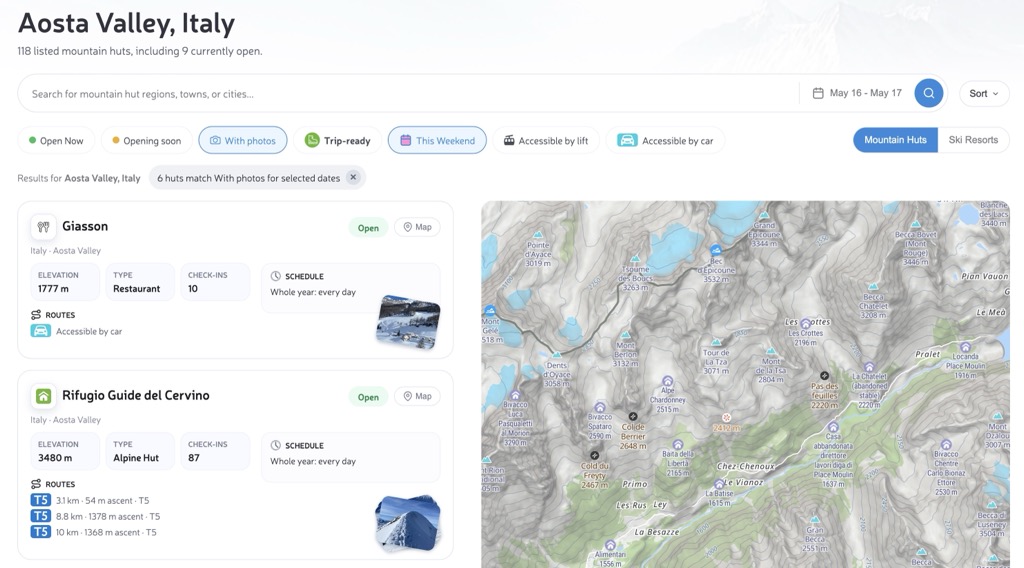
The hut page now behaves less like a directory and more like a trip planner. Start with a region, town, city, or administrative area. PeakVisor loads the local hut network and keeps the heading, URL, list, map, and statistics aligned.
- Search the exact place: region, town, city, or inner administrative area.
- Read the cards quickly: status, schedule, elevation, type, access, and photos.
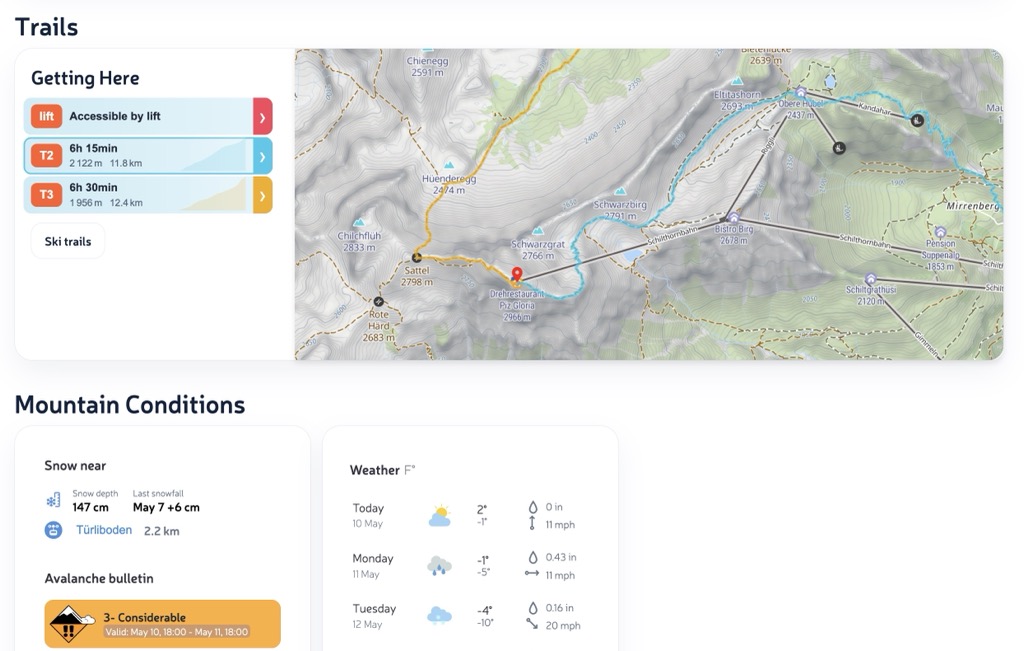
- Open a full hut page: routes, weather, check-ins, photos, contacts, and detailed hut information.
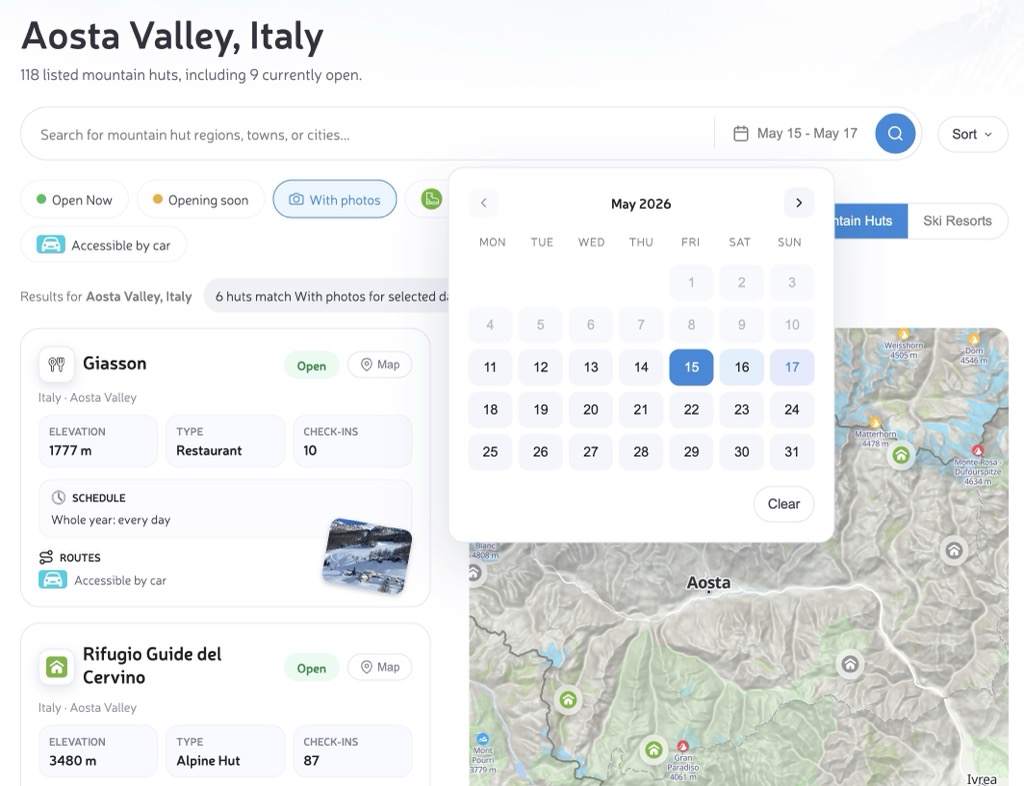
- Choose dates when needed: check which huts fit a selected day or range.
- Filter for real options: combine status, photos, lift access, car access, This Weekend, and the Trip-ready preset.
- Compare with the map: understand clusters, valleys, lifts, nearby terrain, and isolated objectives.
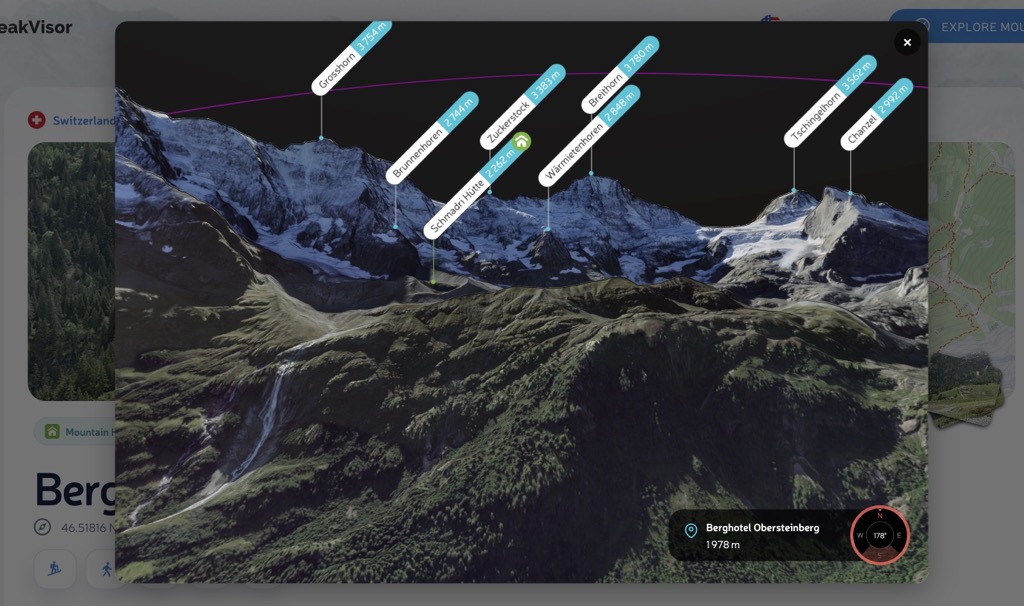
- Continue into PeakVisor maps: Hiking Map, Ski Map, Panorama 3D, and View 3D.
Cards That Answer Trip Questions
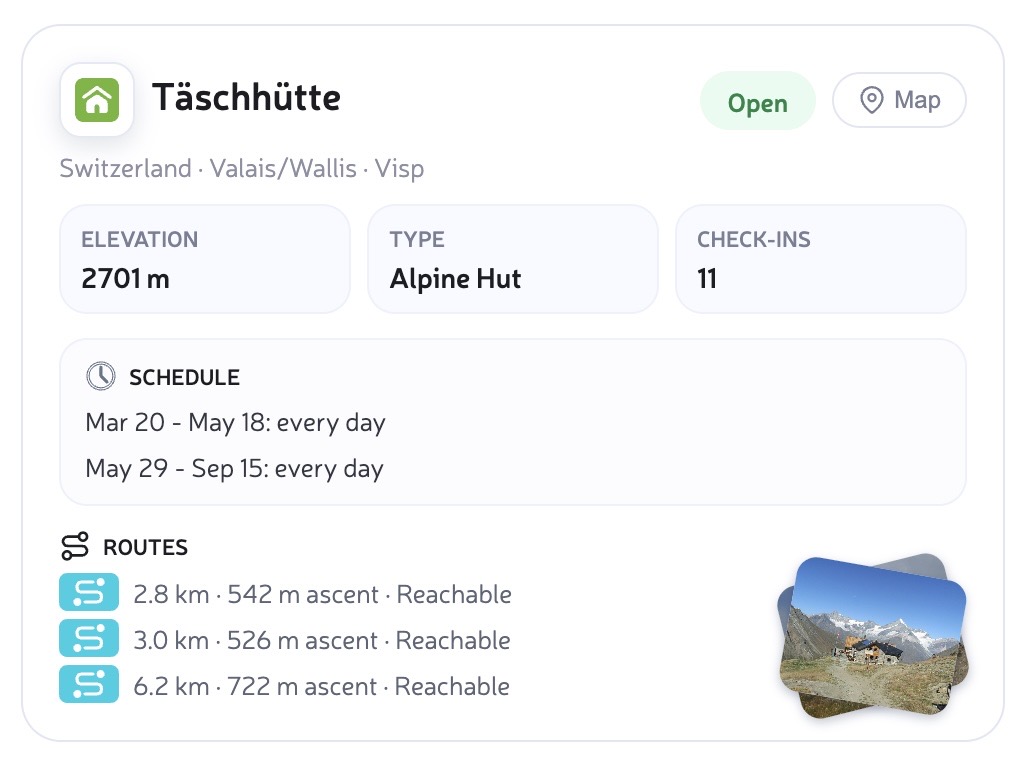
Regional pages are built for scanning. Each card shows the hut name, location, elevation, type, current status, schedule, photos when available, and the practical way to get there.
- Accessible by car and Accessible by lift are written as plain statements.
- Walking approaches keep distance, ascent, and difficulty where available.
- Multiple access routes stay visible instead of being reduced to one vague summary.
Dedicated Hut Pages
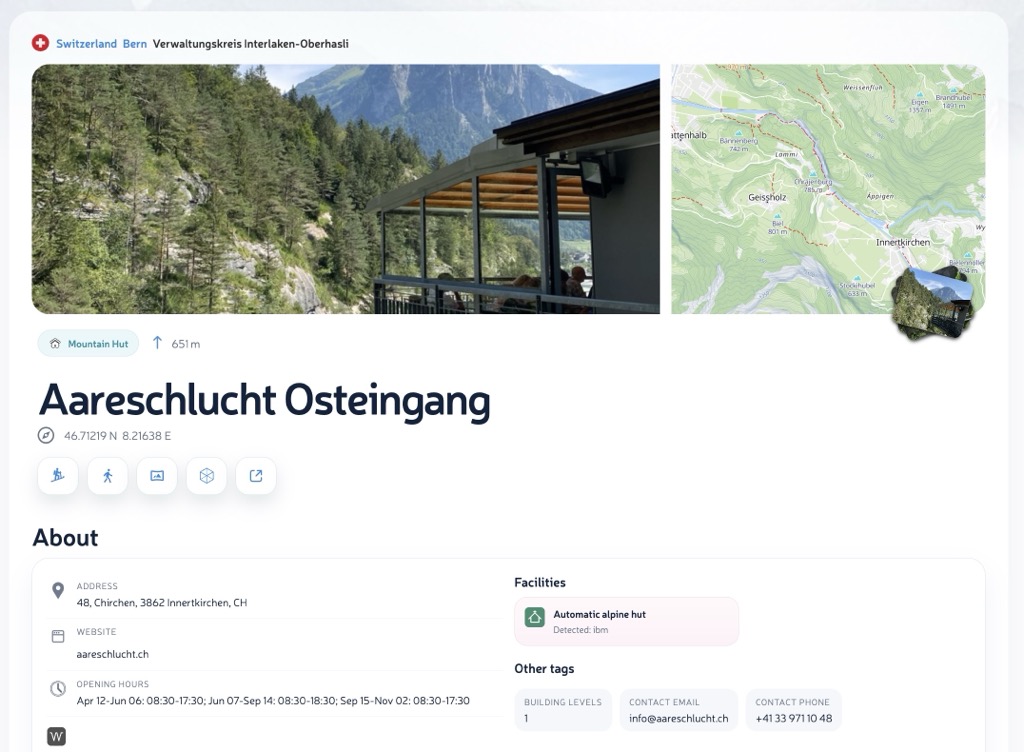
Every mountain hut can also have its own page, such as Aareschlucht Osteingang. This is where the quick card becomes a full planning view: approach routes, opening schedule, weather forecast, check-ins, photos, nearby map context, and detailed information about the hut itself.
Plan by Place or Date
Most trips start with a place: a valley, town, region, or administrative area. Search selects that area and updates the list. When timing matters, Open Now and the date picker help narrow the same list to huts that match your day or travel window.
Quick filters now work together and update the map too: Opening soon, With photos, This Weekend, Accessible by lift, and Accessible by car. This Weekend selects the nearest Saturday-Sunday window. Trip-ready is the shortcut: open now, or open on your selected dates, and with a Getting Here route.
The selected date range appears as a small badge with a clear button, so it is always obvious when the result is date-specific. Past dates stay disabled in the calendar.
From List to Map and 3D
A hut is easier to judge when you can see it and place it in terrain. Photo stacks open into a full-screen gallery. The regional map shows whether huts cluster around valleys, ridges, lifts, or remote objectives. Hut pages then carry that object into Hiking Map, Ski Map, Panorama 3D, and View 3D.
When to Use It
- Weekend route: search the region, compare nearby huts, then open the best candidate.
- Family outing: look for car or lift access, photos, and moderate elevation.
- Hut-to-hut idea: use the regional map as a first-pass network before building the itinerary.
- Weather-sensitive plan: open the hut page and check the forecast, route context, and terrain.
- Winter or summer scouting: move between hut discovery, Ski Resorts, Ski Map, Hiking Map, and 3D terrain.
Less Guesswork, More Decisions
The pitch is simple: beautiful maps are not enough anymore. The next generation of outdoor cartography should answer the question behind the map: can I use this place for my actual trip?
Try it with Verwaltungskreis Frutigen-Niedersimmental mountain huts, Aosta Valley mountain huts, or search for your next mountain region in PeakVisor.